Customize the checkout builder
Edit the shopper-facing layout, payment choices, and preview.
The checkout builder controls the shopper-facing form and visual presentation. Work in a draft and use preview to check the result on more than one screen size.
Edit the experience
- Open Checkouts, choose the checkout, and enter its Builder.
- Review the sections for express payment, contact, delivery, shipping method, order-bump slot, payment, trust message, and policies. Enable or adjust only the sections that fit your offer.
- Edit visible copy such as the payment action and trust message so it accurately describes your product and billing terms.
- Adjust appearance, including accent color, corners, and order-summary presentation, where those controls are available.
- Save, then switch between Desktop and Mobile preview. Check long product names, prices, policy links, and the payment button on narrow screens.
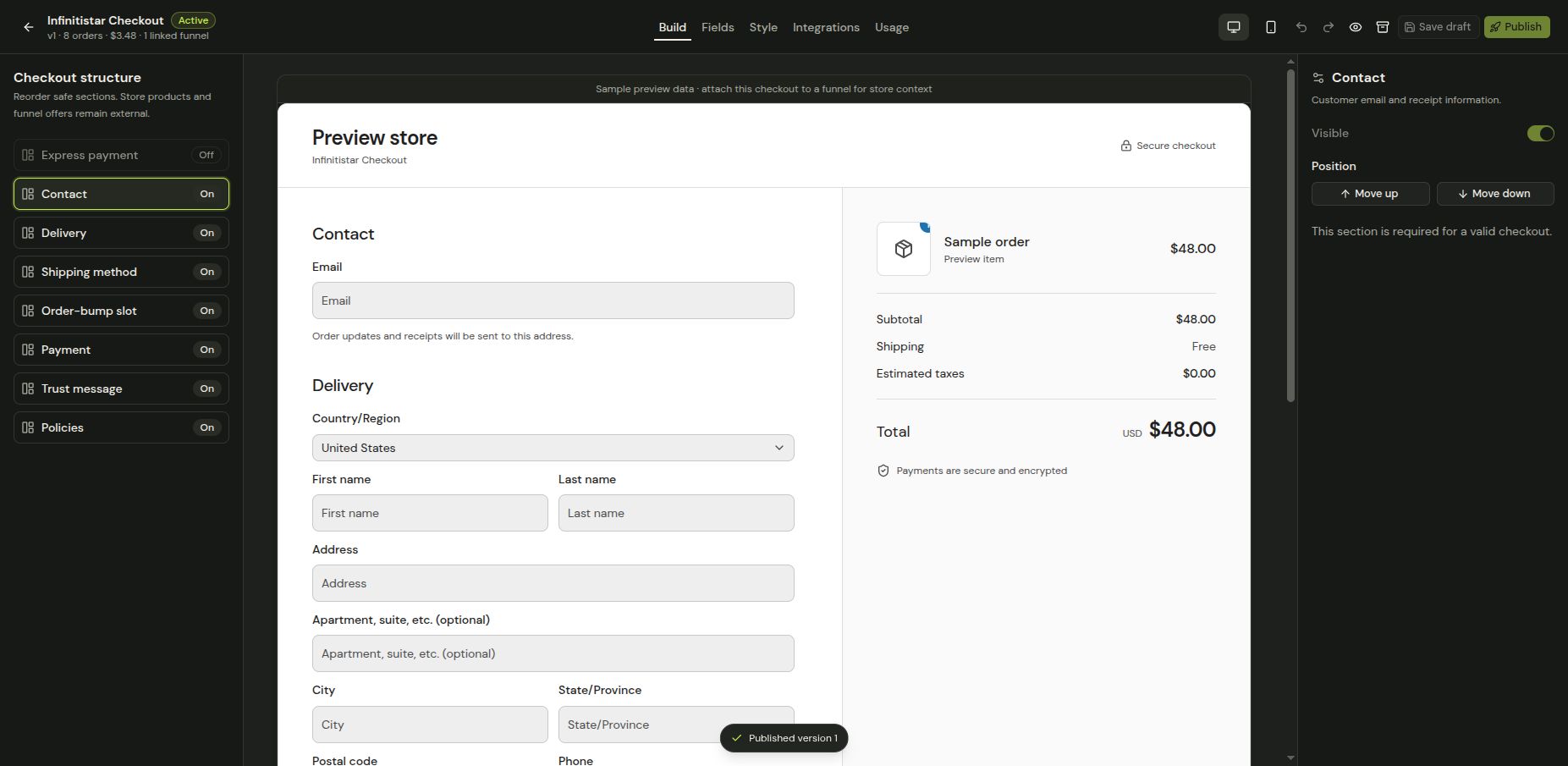
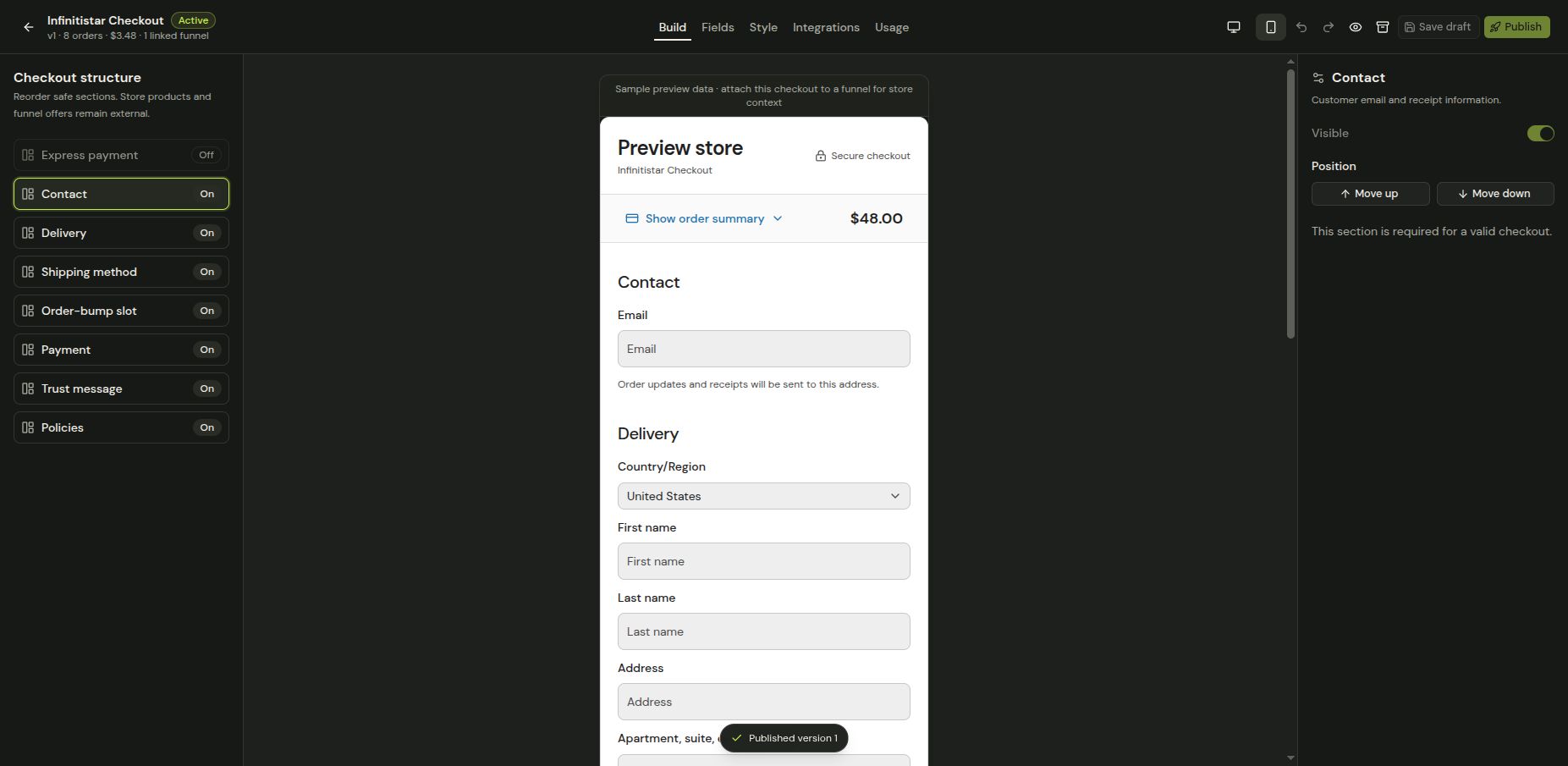
The builder preview shows the layout; it is not proof that a gateway can make a live charge. Before publishing, review the attached funnel and the store-specific Launch checklist.