Create a reusable checkout
Make a checkout resource that can be attached to a store-first funnel.
A checkout is a reusable shopper-facing resource. You can create it once, edit its experience in the builder, and then connect it to an appropriate store-first funnel.
Create a checkout
- Open Checkouts and select Add checkout.
- Enter a Checkout name that will help your team distinguish it later.
- Choose a Template and create the checkout. Rebillora opens the builder for the new resource.
- Review the form, payment section, order summary, trust copy, and policies before saving.
- Preview both desktop and mobile layouts. Test with the safe environment available to your workspace before attaching the checkout to a live funnel.
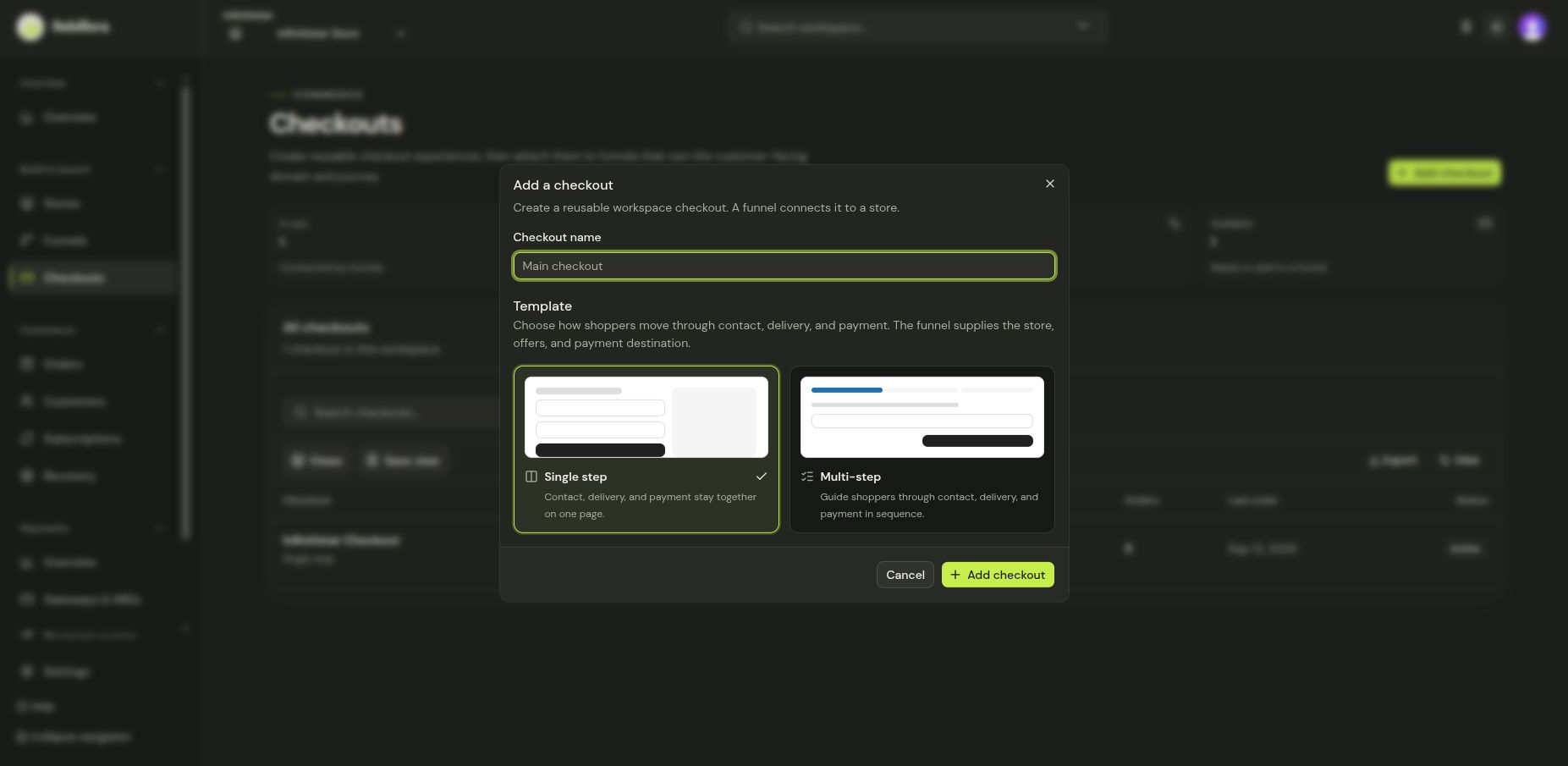
The captioned video at the top previews the checkout setup dialog and template choice. It uses an unsaved demo name; no checkout is created in the recording. Follow the steps above in your own workspace to create one.
Creating a checkout does not publish a funnel. To give shoppers a complete journey, open Funnels, choose a store, and attach this checkout there. The Launch checklist shows what still needs attention.