Create a payment router
Organize configured gateways into a standard or cascading payment path.
A payment router decides which configured gateway handles a checkout attempt. The dashboard offers Standard, Classic cascade, and Rule-based cascade types. The available gateways, environment, and routing controls should be reviewed together before any live use.
Create a router
- Open Payments → Routers and select Add router.
- Name the router and choose the type that matches your intended payment path.
- Start in Dry Run while testing. Add the gateways that the router should consider.
- Create the router, then open its detail page. Check the default gateway, order or rules, and any preview or simulation result.
- Open the intended funnel's Funnel settings and choose the router under Gateway or router when you are ready to use it for that journey.
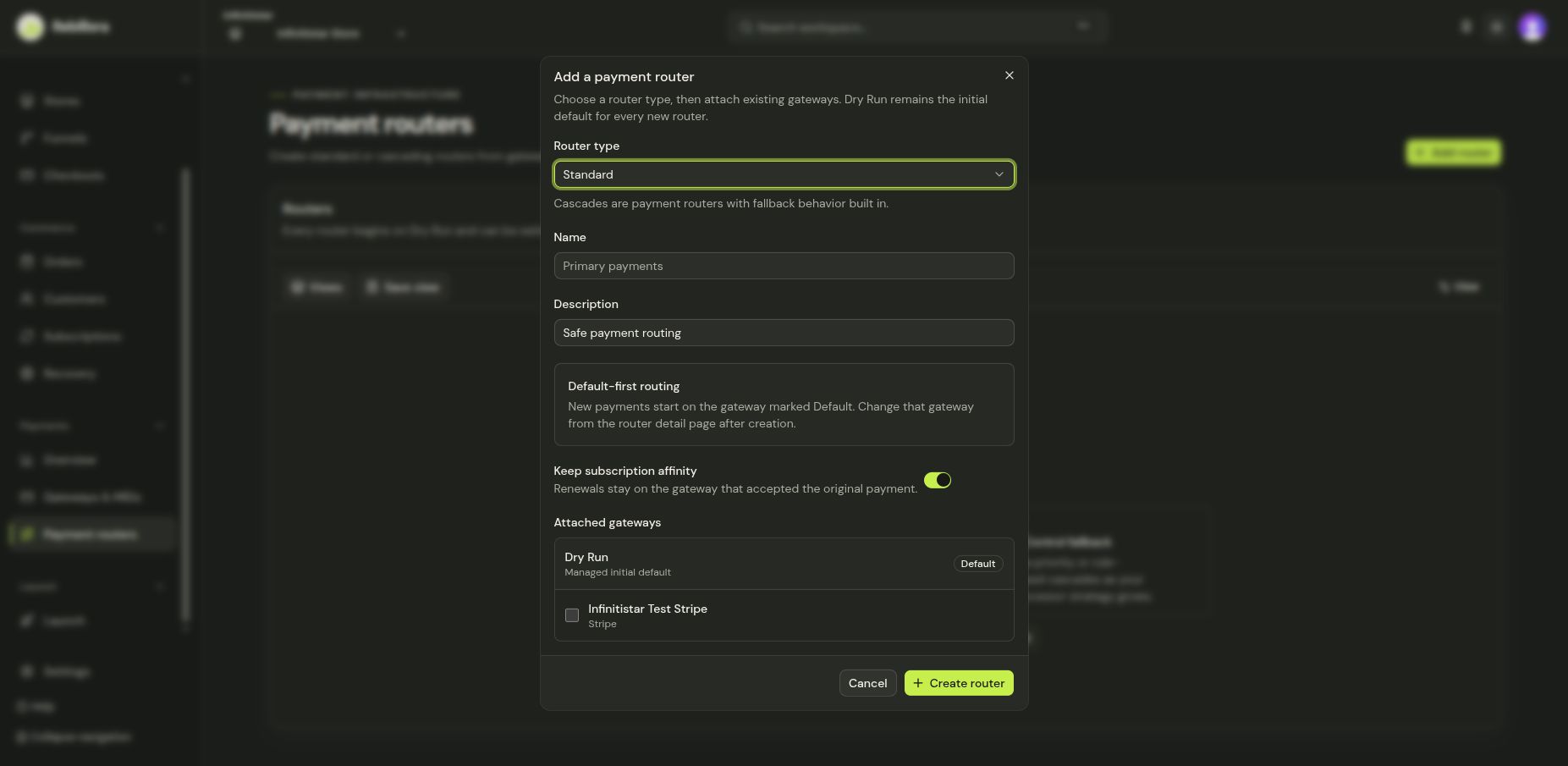
Standard routing follows its configured default. Cascading routes may try another eligible gateway according to their configured order or rules. A simulation helps explain the path, but does not make a live charge. Review processor agreements and live connection health before switching environment or publishing.